
To control external instruments within ProTools, load Scaler 2 on a track and use its MIDI output as the MIDI input of the instrument you wish to control.
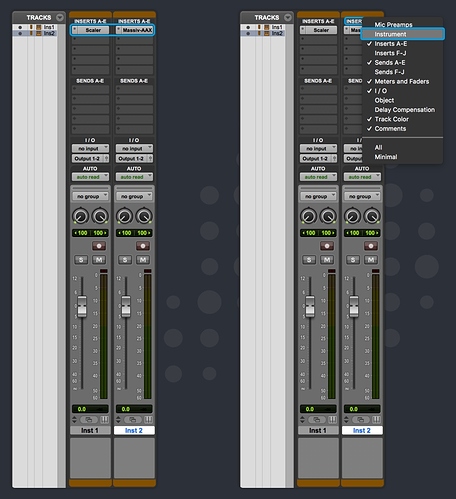
1. Load Scaler 2 on a new instrument track and the instrument you wish to control on a second track. To show the MIDI input configuration, right-click on the “Inserts” label and select “Instrument”.
2. In the “Instrument” input of the track you wish to control, click the “All” value and select “Scaler 2 Out - all channels”.
3. Arm both tracks by holding shift and clicking the “Record” icon and mute the Scaler 2 track. Both tracks will now receive MIDI, but only the controlled instrument will output sound.
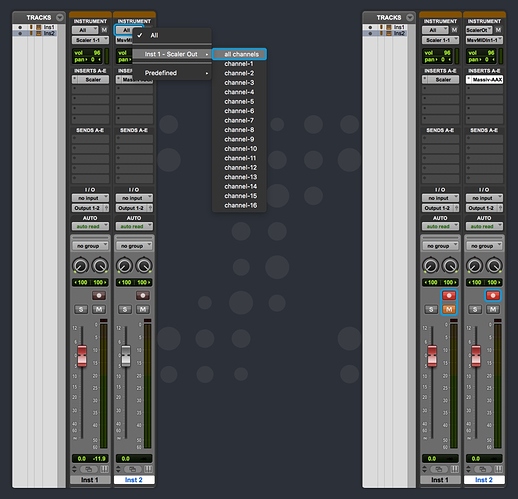
4. Scaler 2 MIDI output is now routed to your instrument.