
Welcome to the Wavesfactory installation page.
Please take a look at our installation guide videos below, which provide information on how to register, install and authorise your Wavesfactory software.
System Requirements
10.9 or higher.
Intel and Apple Silicon natively supported.
64-bit DAW and OS.
Windows
Windows 7, 8 or 10 (64-bit only)
DAW capable of hosting VST or VST3 plugins, or Pro Tools.
Important Note: This software is available in 64-bit format only and will not function on 32-bit systems.
Mac Video Installation Guide
Windows Video Installation Guide
Alternatively, you can follow the links below to step-by-step instructions and videos.
Installation Instructions
Windows
Redemption
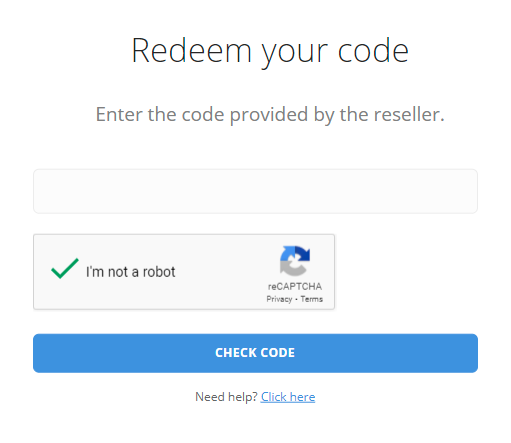
1. Visit https://www.wavesfactory.com/redeem > Enter your Redeem Code and select "I'm not a robot > Click "Check Code".
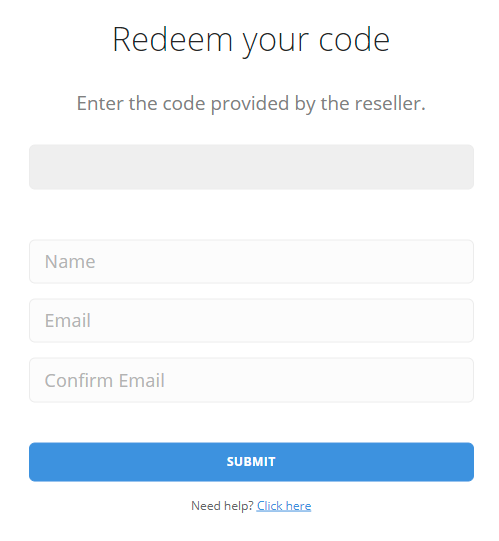
2. Enter your Name and Email > Click "Submit".
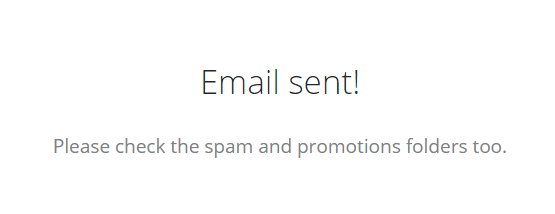
3. Check your E-mail (Also check your Junk/Spam folders for the email).
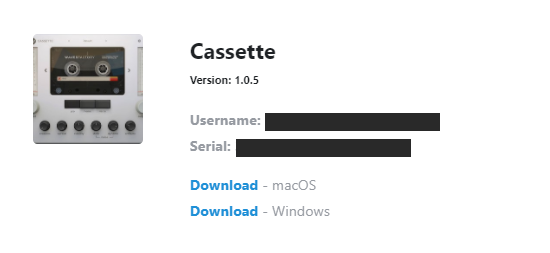
4. Click the download link for Windows
Installation
1. Double-click the downloaded .exe installer > Select "I accept the agreement" and click "Next >".
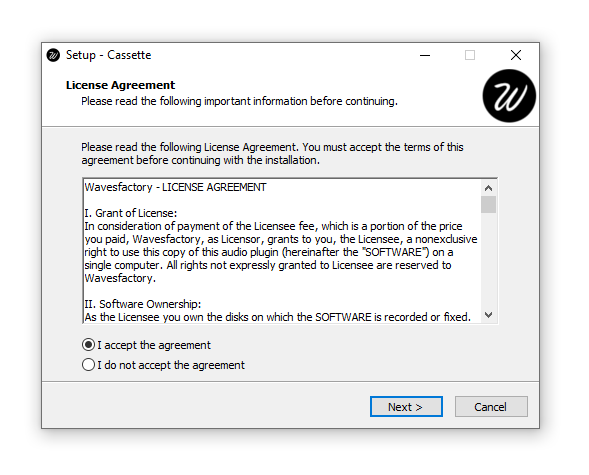
2. Click "Next >".
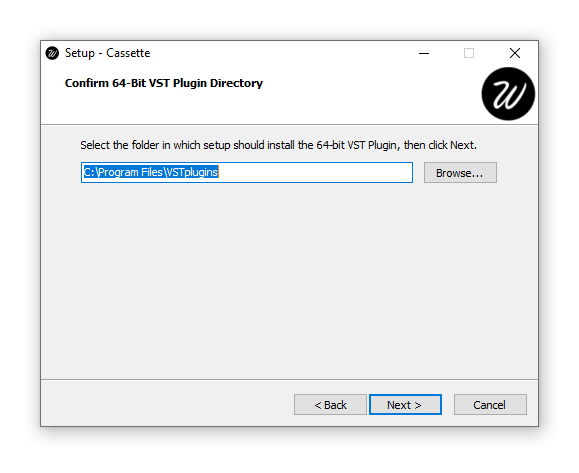
3. Click "Next >".
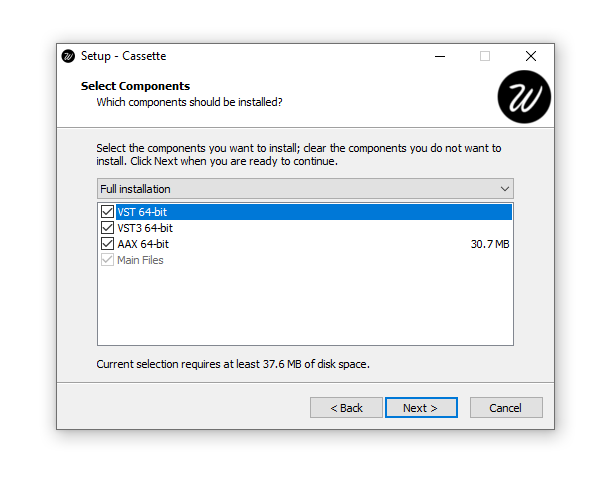
4. Click "Install".
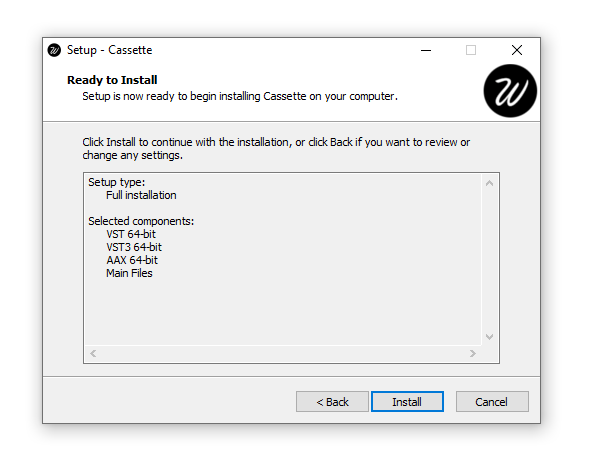
5. Click "Finish".
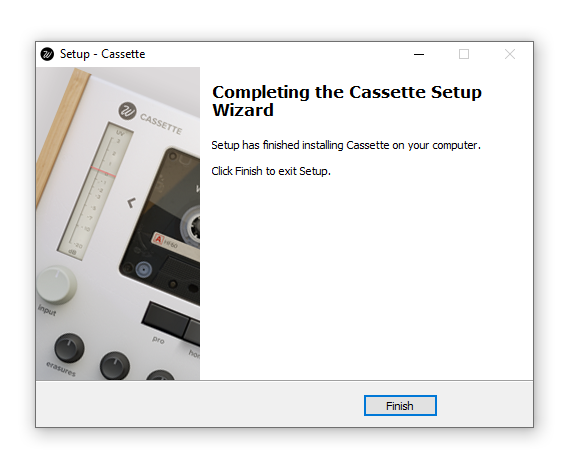
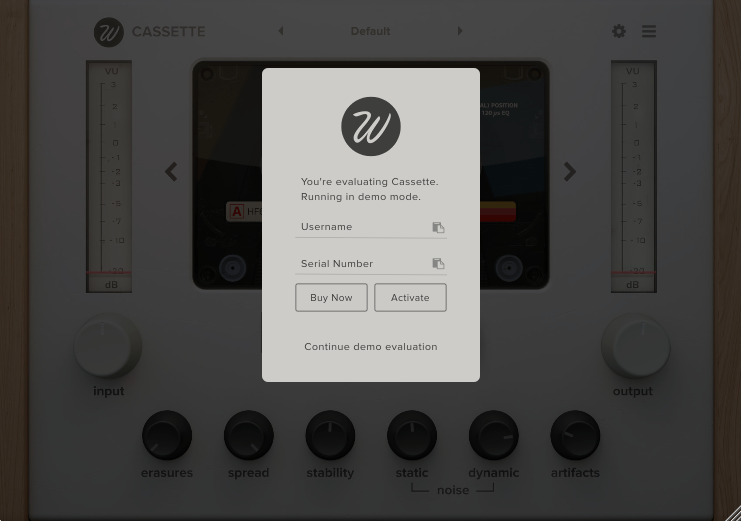
6. Open the software inside of your DAW > Enter your email and serial number sent to you from Wavesfactory > Click 'Activate'.
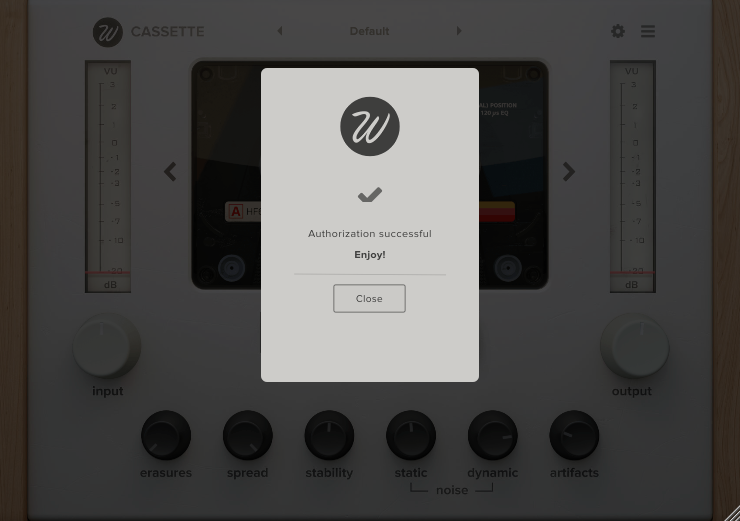
7. Click 'Close'.
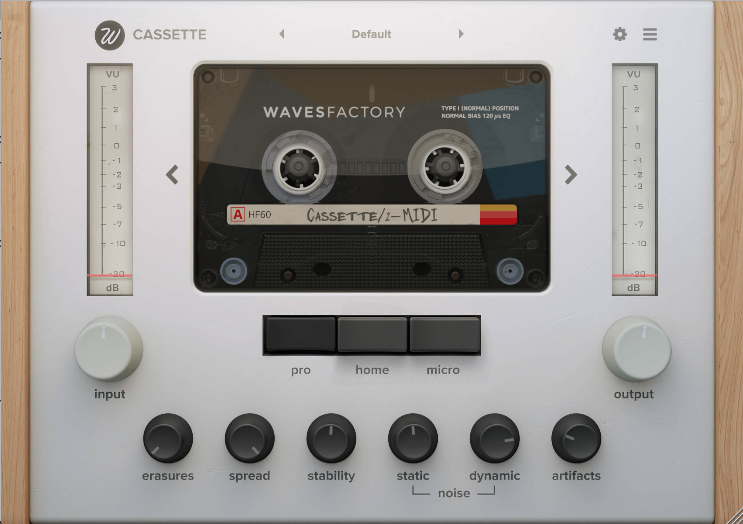
Your software is now installed and ready for use!
Mac
Registration
1. Visit https://www.wavesfactory.com/redeem > Enter your Redeem Code and select "I'm not a robot > Click "Check Code".
2. Enter your Name and Email > Click "Submit".
3. Check your E-mail (Also check your Junk/Spam folders for the email).
4. Click the download link for macOS.
Installation
1. Double-click the downloaded .pkg installer > Click "Continue".
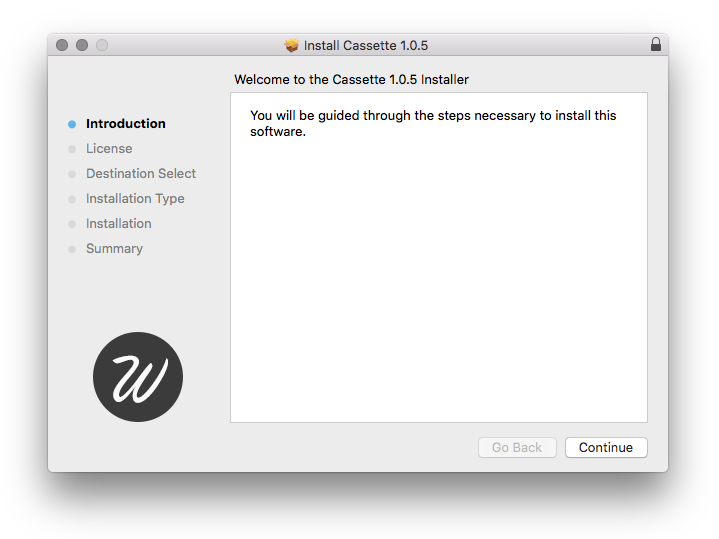
2. Click "Continue".
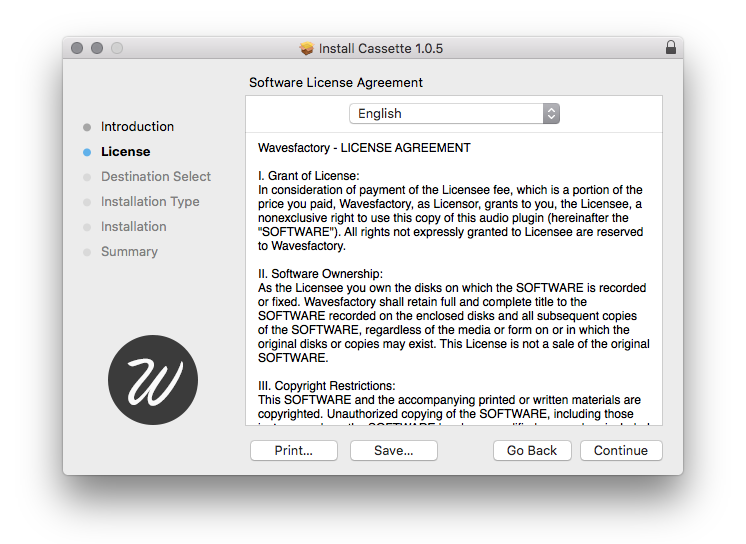
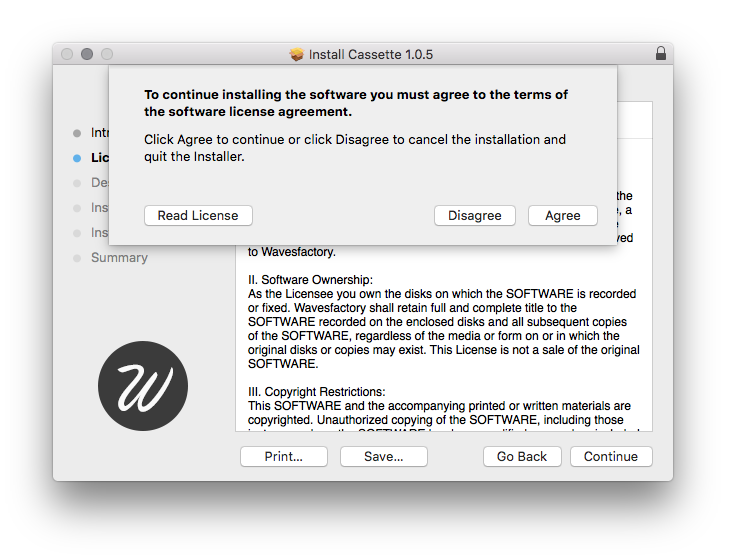
3. Click "Agree".
4. Click "Continue".
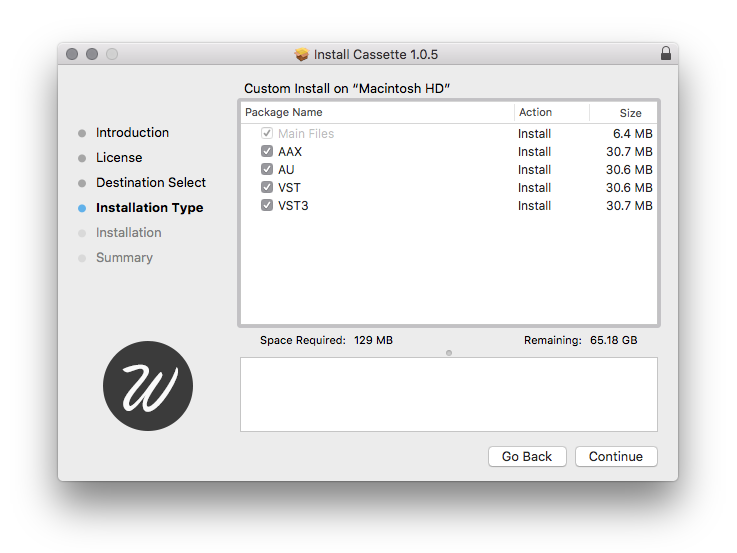
5. Click "Install".
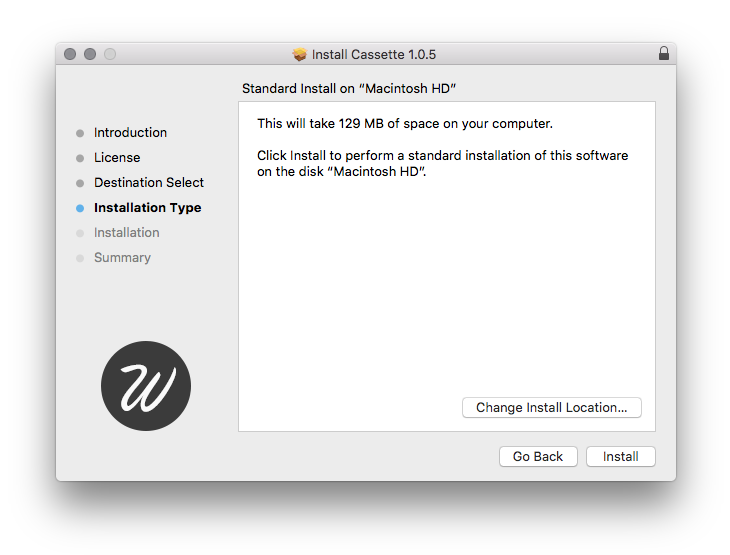
6. Click "Continue".
7. Open the software inside of your DAW > Enter your email and serial number sent to you from Wavesfactory > Click 'Activate'.
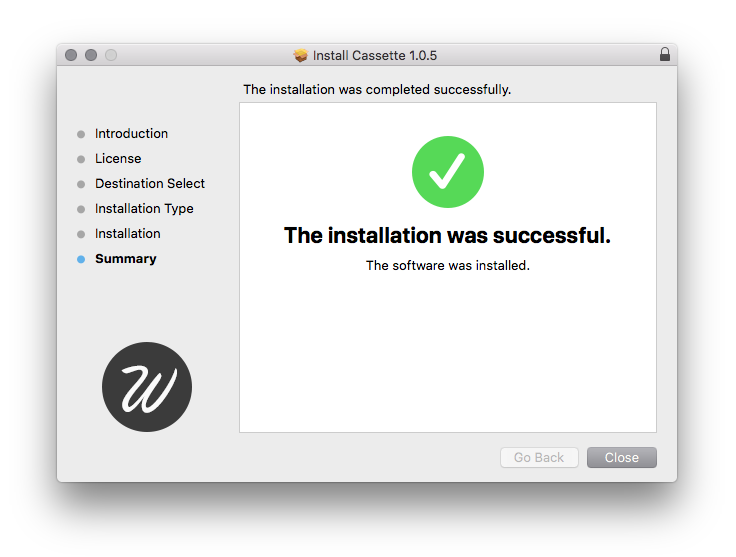
8. Click 'Close'.
Your software is now installed and ready for use!
If you would like any further assistance with your software, please feel free to reach out to our support team at support@pluginboutique.com.