
Welcome to the Mastering the Mix installation page.
Please take a look at our installation guide videos below, which provide information on how to register, install and authorise your Mastering the Mix software.
System Requirements
Mac:
OS X 10.15 or higher.
64-bit AU, VST3 or AAX host. Apple Silicon Native (64-bit only)
Windows:
Windows 10 or higher
64-bit VST3 or 64-bit AAX host (64-bit only)
Please note: AAX is compatible with Pro Tools 11 and later only.
Important note: When accessing this software via a Rent to Own plan or the Beatport Studio membership, it's installed and run through the Beatport Access portal. An internet connection is required every 30 days to validate your license.
Mac Video Installation Guide
Windows Video Installation Guide
Alternatively, you can follow the step-by-step instructions below for your software.
Installation Instructions

Note: ANIMATE is used as the example.
Mac
1. Download the .zip file from within your Plugin Boutique User Account and double-click it to extract the contents > Open the .pkg file to begin the installation > Click 'Next'.
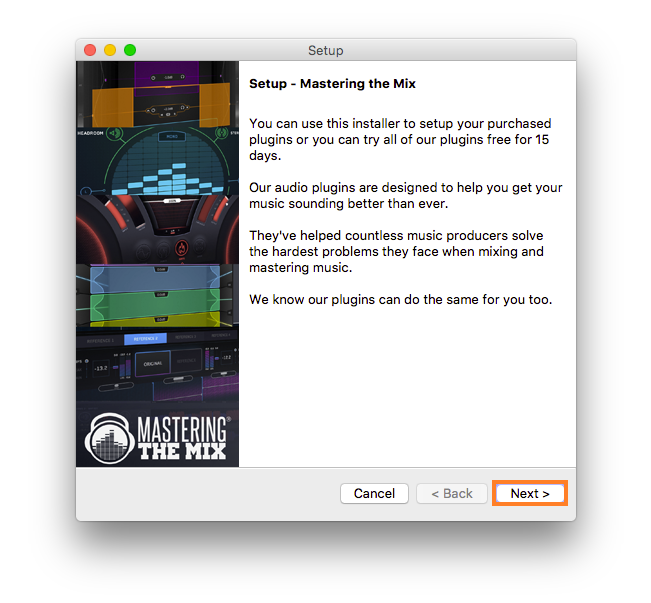
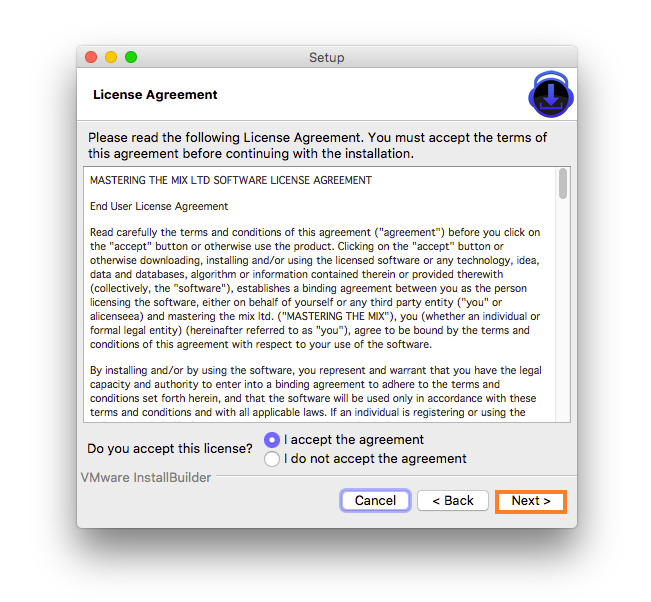
2. Select 'I accept the agreement' > Click 'Next'.
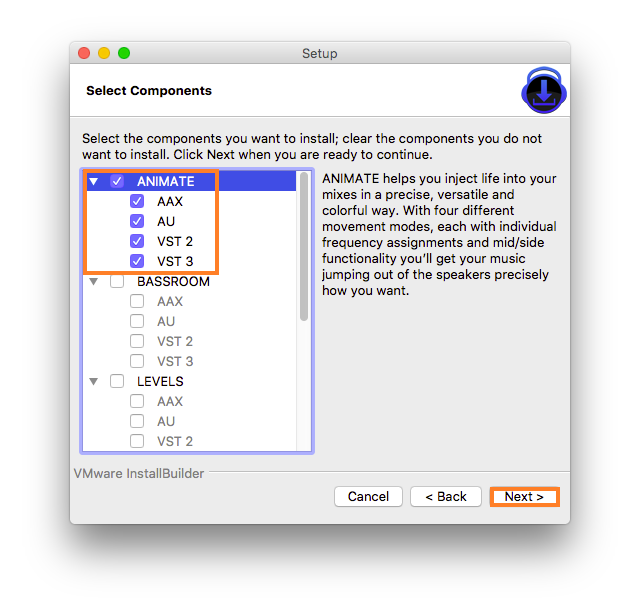
3. Select the components for the product you wish to install > Click 'Next'.
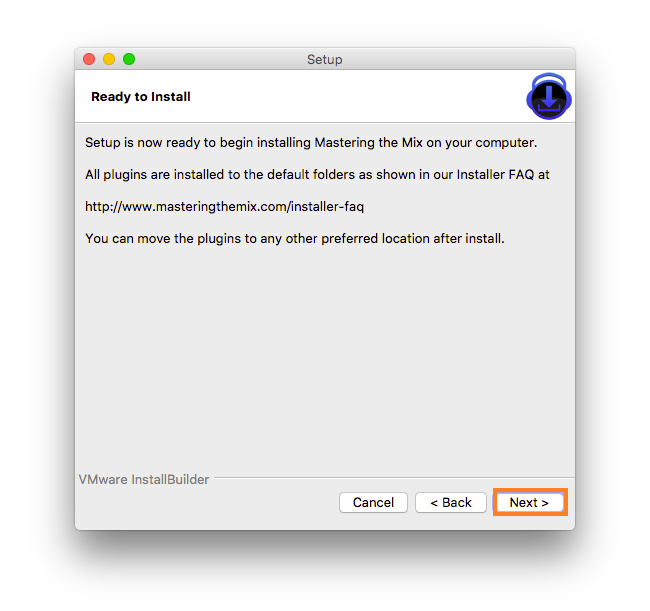
4. Click 'Next'.
5. Click 'Finish'.
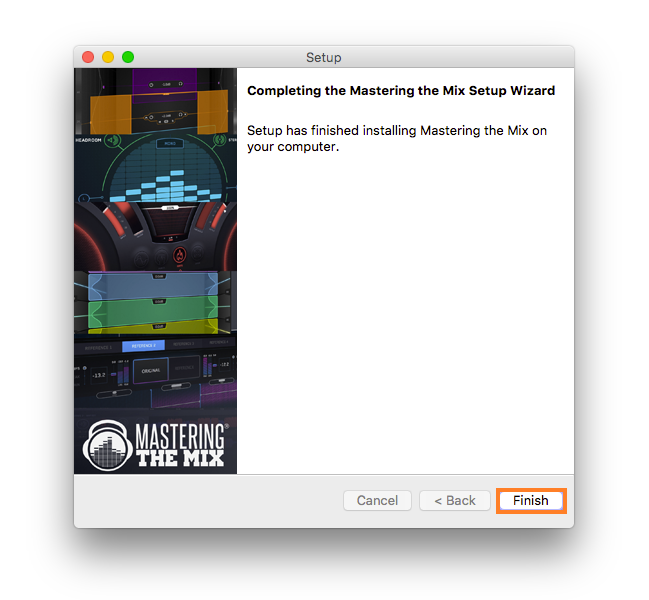
Activation
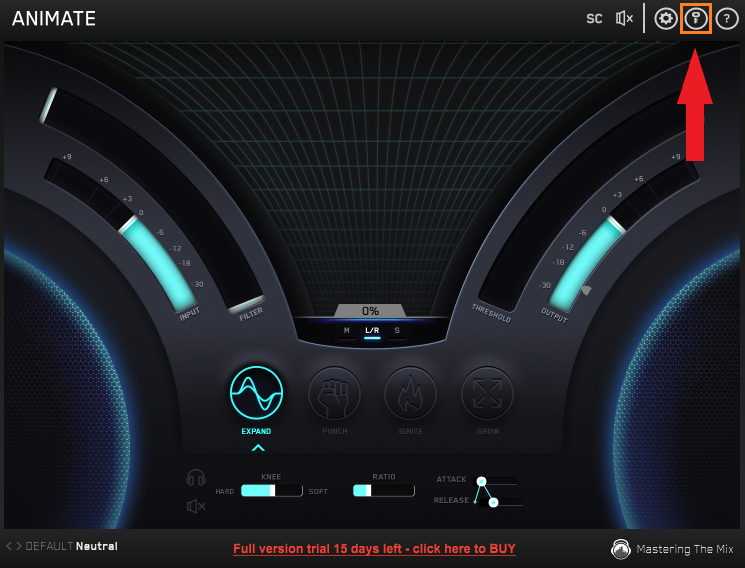
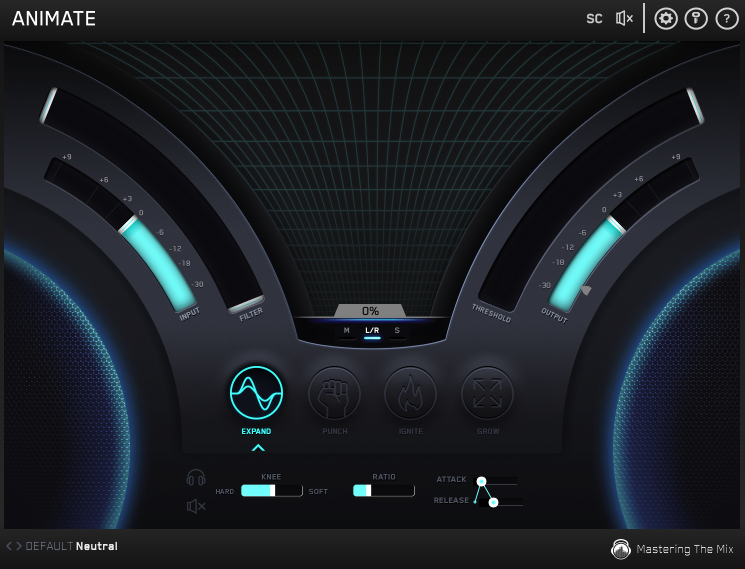
1. Open your recently installed plugin within your DAW > Click the Key icon, located in the top-right hand corner of the plugin window.
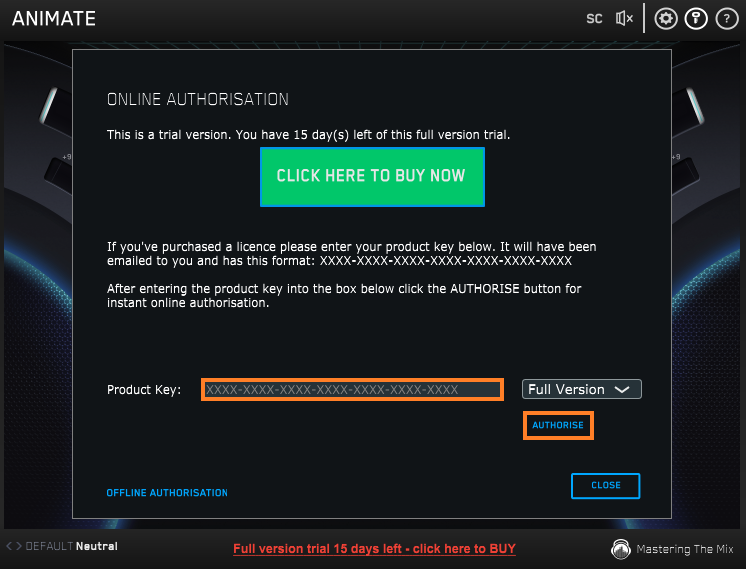
2. Enter the 24-digit serial number, located within your Plugin Boutique User Account > Click 'AUTHORISE'.
3. Click 'Close'.
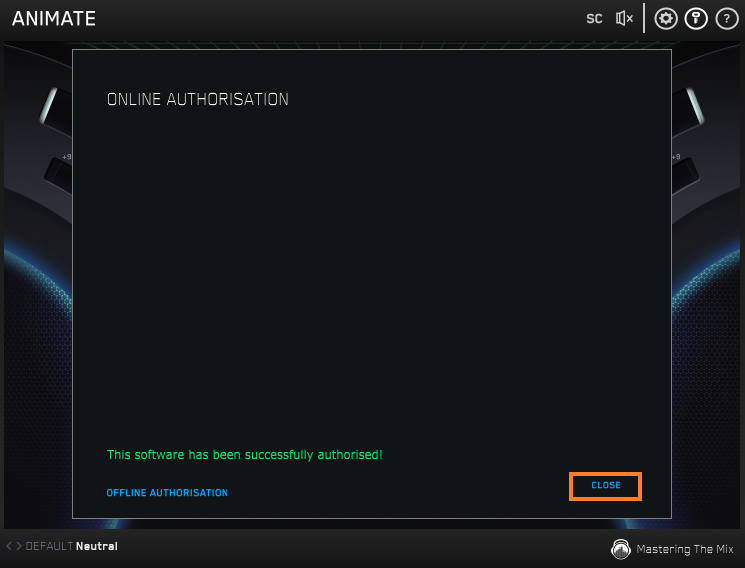
Your software is now activated and ready to use within your DAW.
Windows
Installation
1. Download the .zip file from within your Plugin Boutique User Account and double-click it to extract the contents > Open the .exe file to begin the installation > Click 'Next'.
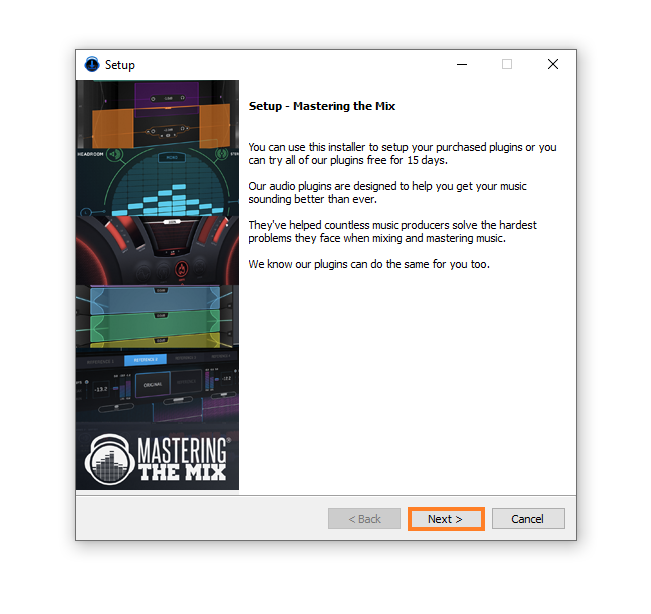
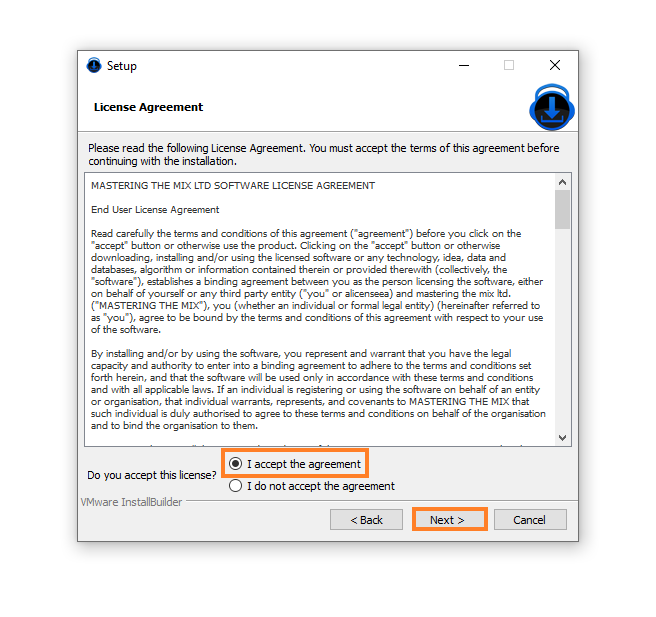
2. Select 'I accept the agreement' > Click 'Next'.
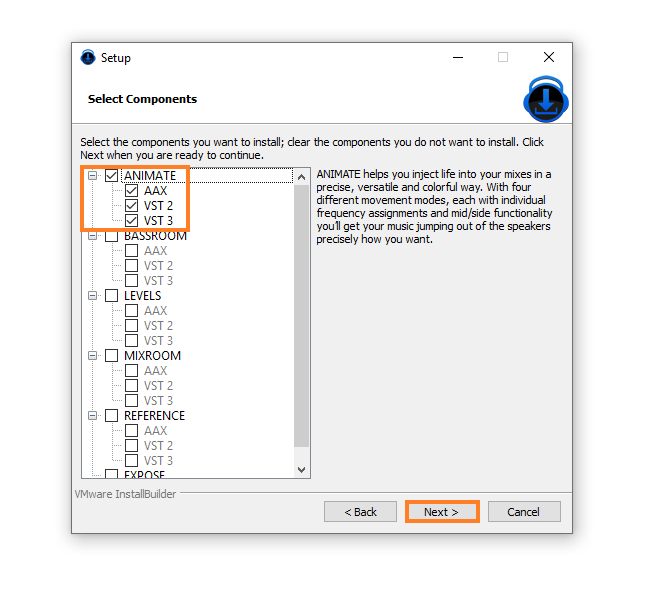
3. Select the components for the product you wish to install > Click 'Next'.
4. Click 'Next'.
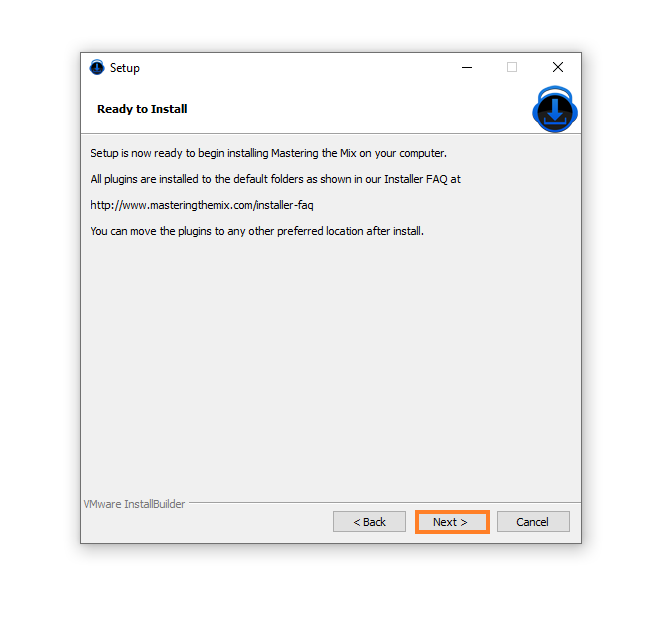
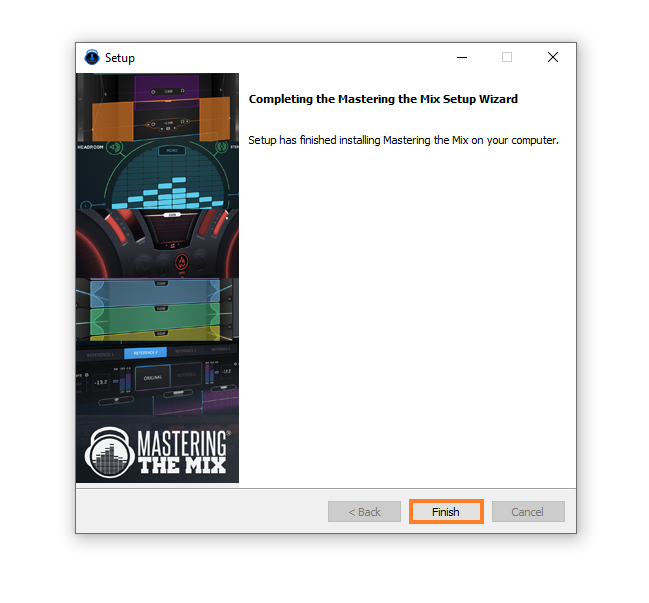
5. Click 'Finish'.
Activation
1. Open your recently installed plugin within your DAW > Click the Key icon, located in the top-right hand corner of the plugin window.
2. Enter the 24-digit serial number, located within your Plugin Boutique User Account > Click 'AUTHORISE'.
3. Click 'Close'.
Your software is now activated and ready to use within your DAW.
If you would like any further assistance with your software, please feel free to reach out to our support team at support@pluginboutique.com.